Fügt Nicht interessiert-, Stummschalten- und Blockieren-Schaltflächen direkt zu jedem Tweet hinzu — Feed verwalten ohne Dropdown-Menüs. Enthält eine Stummschalten-Verknüpfung auf Profilseiten und ein Einstellungsfenster zur Auswahl der Schaltflächen und ihrer Position.


 📍 Author: GitHub | Script: Repository
Adds Not Interested, Mute, and Block buttons directly to each tweet so you can act on your feed in one click.
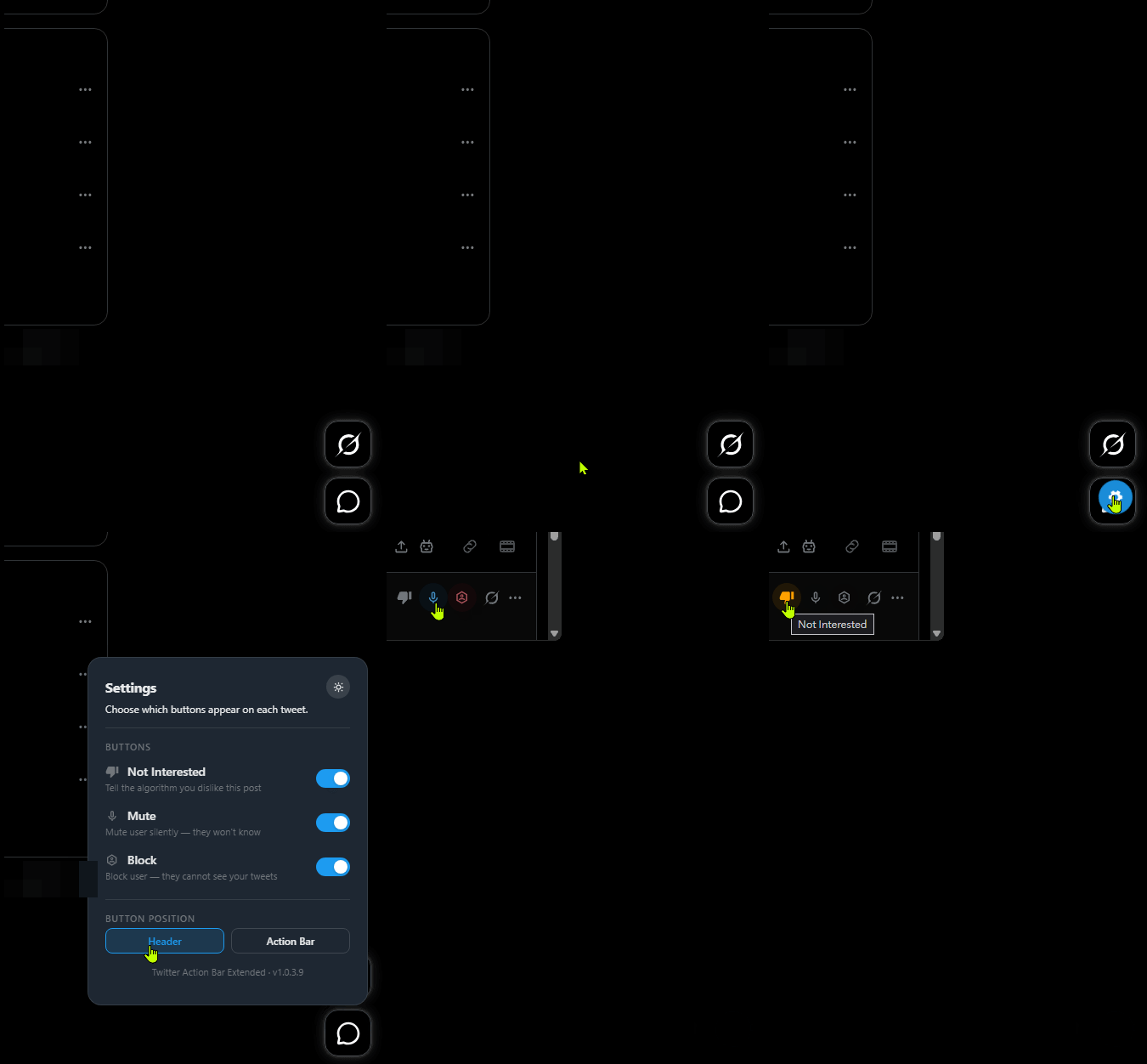
💡 Overview This script places quick-action buttons alongside the existing controls on every tweet on X (Twitter), removing the need to open dropdown menus to manage your feed. A mute shortcut also appears on user profile pages for fast silencing without leaving the page. A floating settings panel lets you choose which buttons are active, where they sit on each tweet, and how Not Interested actions behave after the initial click.
| Icon | Feature | Where It Appears |
|---|---|---|
| 🚫 | Not Interested | On each tweet, For You tab only |
| 🔇 | Mute user | On each tweet (enable in Settings) |
| ⛔ | Block user | On each tweet (enable in Settings) |
| 🔇 | Profile page mute shortcut | On any user's profile page, next to the follow/unfollow controls |
| ⚙️ | Settings panel | Gear button, bottom-right corner of any X page |
Signals to the algorithm that you dislike a post without opening any menu.
Silently mutes the tweet's author so their posts stop appearing in your feed.
Blocks the tweet's author so they can no longer see your posts or interact with your account.
Places a mute button directly on a user's profile, next to the standard action controls.
For You tab only: The Not Interested button appears exclusively when you are on the For You (recommended) tab. Switching to Following, Search, Bookmarks, or a profile removes it, as the action does not exist in those contexts. On tweet detail pages, the button is visible but inactive.
Language-dependent mute detection: Mute and unmute actions are identified by matching the text of the menu item that appears during the action. Coverage includes several major languages, but may not work correctly in all regional language settings.
Gear button placement: The settings gear button appears in the bottom-right corner of the page, close to X's native Messages button. If the Messages button becomes difficult to click, aim for its outer edge — it is larger than the gear button and still responds there.
Page load timing: If X takes longer than ten seconds to fully render after navigation, the script will not inject buttons on that page load. Refreshing the page resolves this.
Each of the three action buttons can be turned on or off independently from the Settings panel.
Controls what happens after the initial Not Interested click, when X shows a follow-up prompt.
The tweet is dismissed from the feed regardless of which option is chosen. Some post types show only a brief confirmation with no selectable options, in which case the follow-up step is skipped automatically.
Choose where the action buttons sit on each tweet.
The settings panel supports a dark and a light colour scheme.

